The product
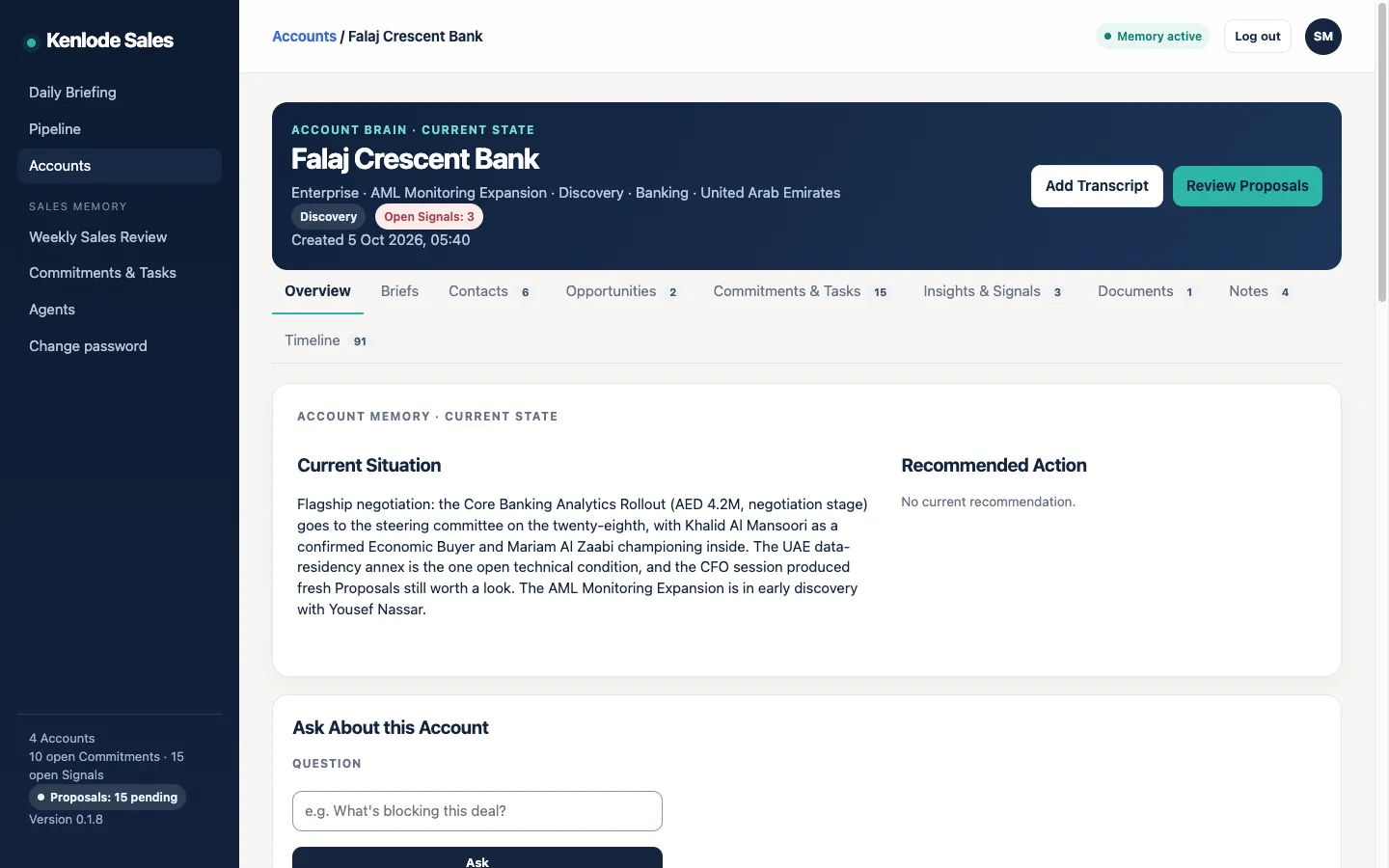
One Account Brain per customer
The single place your team's knowledge of an account lives, and keeps living after a rep moves on.
- Contacts and the Buying Committee: who decides, who influences, who supports you.
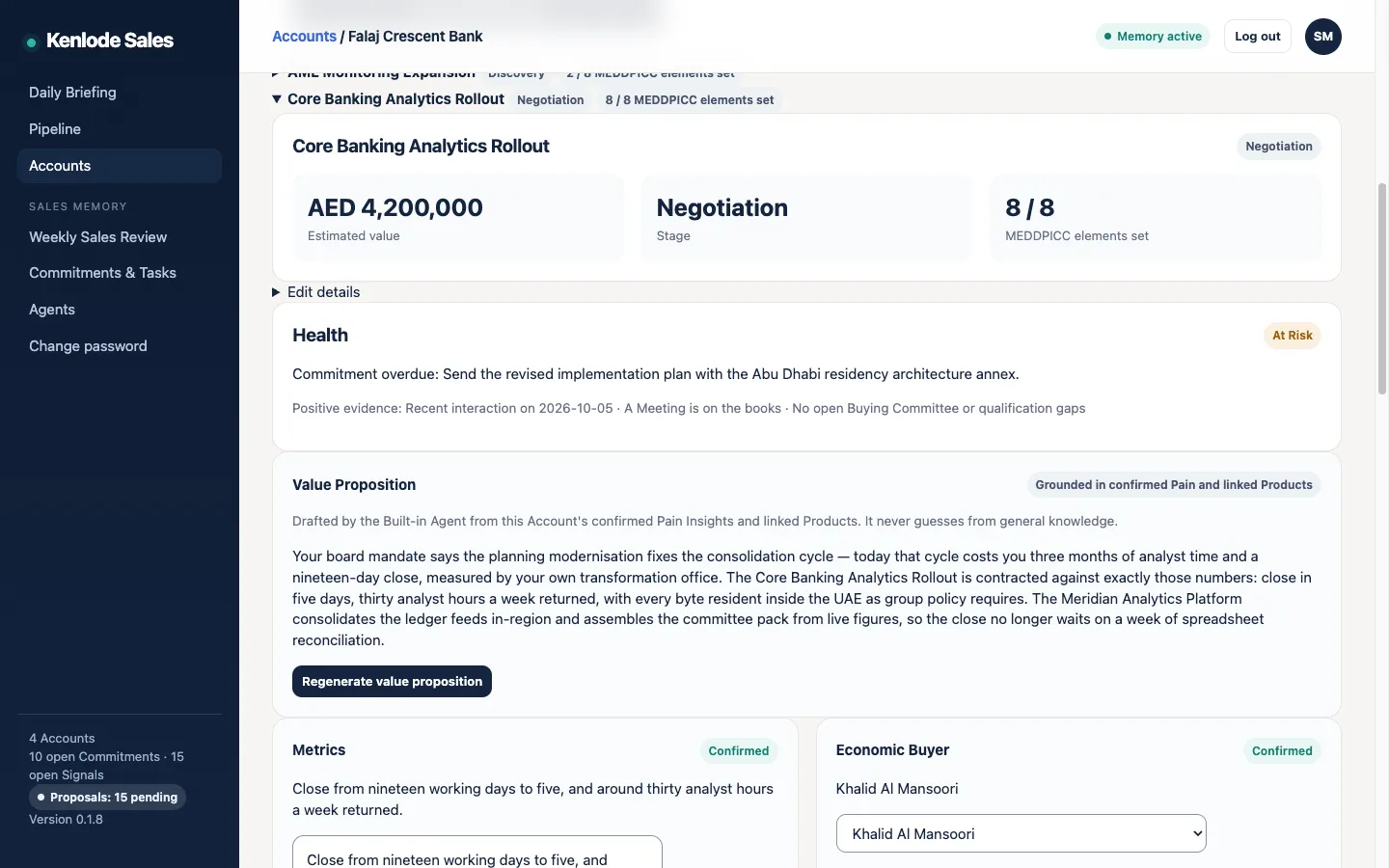
- Opportunities with MEDDPICC built in: each element Confirmed or a Hypothesis, with its sources.
- Commitments in both directions: what you promised and what they promised, flagged before they slip.
- Signals and Recommendations: inactivity, overdue promises, qualification gaps, each with a reason.
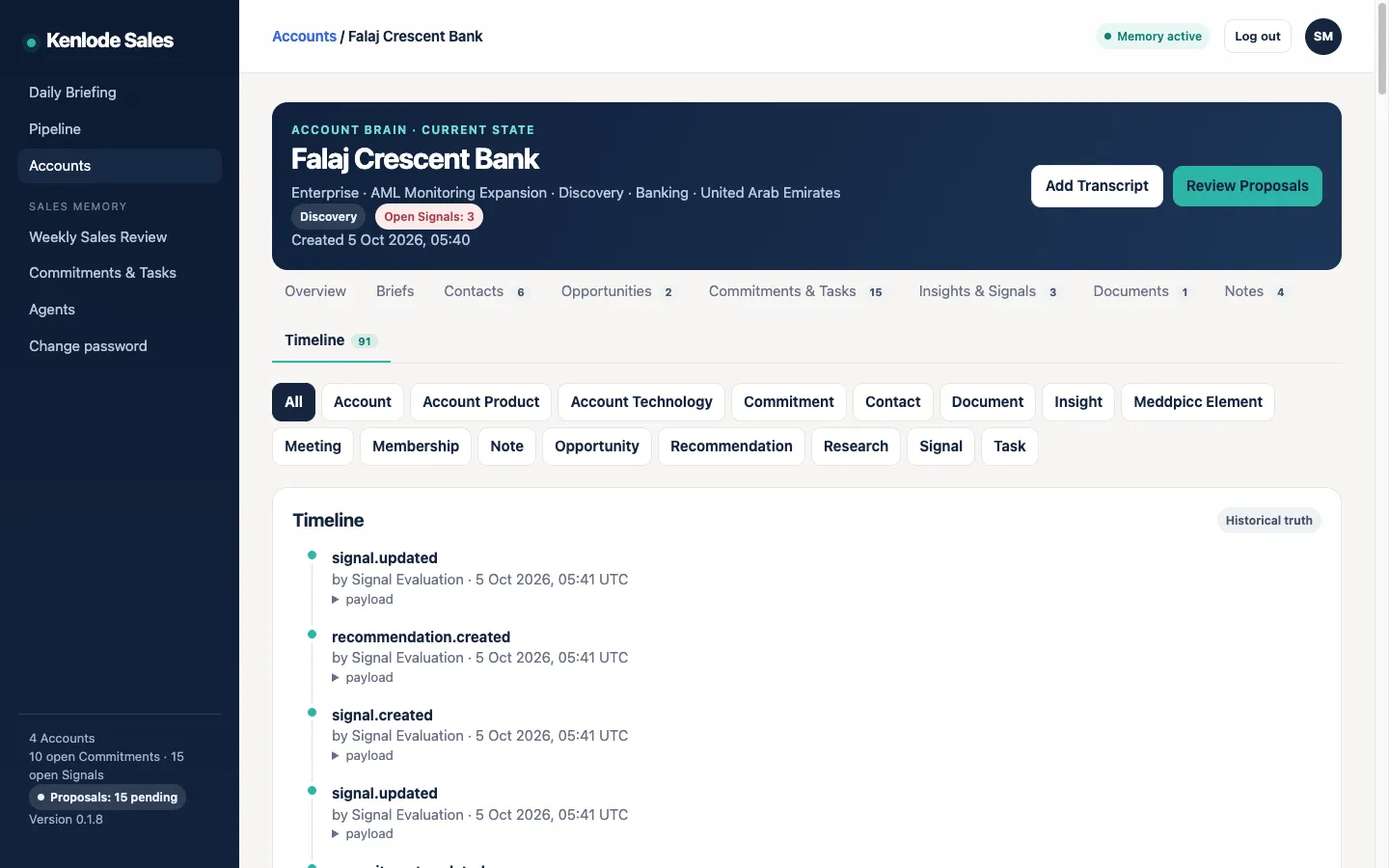
- A full Timeline: what happened and who contributed it.
- Ask in plain language: answers come from the account's own memory, and say so when it doesn't know.
AI proposes, people approve
Nothing the AI extracts is saved until someone accepts it
Add a meeting transcript or your notes, and the built-in agents propose updates: new contacts and their roles, MEDDPICC evidence, commitments, risks. Each Proposal quotes the passage it came from and carries a confidence level. You accept, edit or reject it.
Your own AI agents can connect over MCP or the REST API with a personal key. When they add contacts, relationships, research, opportunities or commitments, those become Proposals too.
Generated drafts, such as an account summary, a briefing or a follow-up email, are written directly and marked as AI-generated.
History
Reassign an account without losing a thing
The Timeline keeps every change and who made it. When an account changes hands, the new owner inherits everything, and can still see who originally contributed what.
Deployment
Fits your stack without an integration project
Runs where you choose
Your own server or virtual machine, in Docker, over HTTPS, with a one-script installer. For a pilot, we install it with you on your own server.
Your AI provider
Anthropic, OpenAI, or any OpenAI-compatible endpoint, including one you host. You choose the model and see the cost.
Beside your CRM, or none
No CRM connector to build or approve. Start from a spreadsheet of your Accounts and Contacts, or from scratch.
Two editions
Team: a manager and their reps, with Account Teams and the rollup, on one server your company controls. Personal: one seller, on a computer they control.
How it compares
Where Kenlode Sales stands apart
Kenlode Sales doesn't compete with these tools on what they do best. It keeps the account memory they leave out, on your own infrastructure.
| Question | Kenlode Sales | Gong | Clari + Salesloft | Salesforce Agentforce | HubSpot Breeze | Microsoft Sales agent |
|---|---|---|---|---|---|---|
| Where it runs | Your own server | Gong's cloud [1] | Clari's cloud [5] | Salesforce's cloud [7] | HubSpot's cloud [10] | Microsoft's cloud; not for on-premises [13] |
| Needs a CRM | No | Partly: deal boards and forecasting use CRM data [3] | Yes: it sits on top of the CRM [6] | It is the CRM | It is the CRM | Yes: Dynamics 365 or Salesforce [13] |
| Your own AI key | Yes, on your server | Not documented | Not documented | Yes, inside Salesforce's cloud [8] | No: HubSpot chooses the models [10] | No: Azure OpenAI [13] |
| AI-extracted data reviewed before it is saved | Yes, by default | No: CRM fields are updated automatically [2] | Not documented | Not documented | Partly: deal updates are suggested [12] | Drafts are reviewed by the user [13] |
| Manager access to a rep's deal content | Only by joining the Account Team, which the team sees | Managers can open their team's calls [4] | Not documented | Role hierarchy opens subordinates’ records [9] | Parent teams see records owned below them [11] | Hierarchy security opens reports’ records [14] |
From public vendor documentation, October 2026. "Not documented" means we found no public source either way. Spotted something out of date? Tell us at sales@kenlode.com.
Where they're stronger
- Call recording: Gong and Microsoft record and transcribe calls themselves. Kenlode Sales doesn't record.
- Forecasting: Clari and Gong predict revenue. Kenlode Sales shows the pipeline and its risks, with no predictions.
- Automatic capture: some tools log email, calendar and calls with no effort from the rep.
- Certifications: the large vendors hold SOC 2 and ISO certifications. Kenlode Sales runs under your own controls.
Sources
- Gong: security and privacy FAQ
- Gong: AI Data Extractor
- Gong: CRM integrations
- Gong: permission profiles FAQ
- Clari: security and compliance
- ZoomInfo: Clari vs Salesforce (third-party)
- Salesforce: Sales Cloud pricing
- Salesforce Developers: bring your own LLM
- Salesforce Help: role hierarchy
- HubSpot: AI cloud infrastructure FAQ
- HubSpot: create and manage teams
- HubSpot: deal progression
- Microsoft Learn: Sales agent FAQ
- Microsoft Learn: hierarchy security
Next step
A 30-day pilot on your real deals
Free for 30 days, up to 10 seats, installed with you on your own server. We agree what success looks like before day one.