For sales managers
A week of coaching, not chasing
You run a regional team on a CRM that HQ owns. Kenlode Sales gives you the picture the CRM doesn't, without turning your reps' notebooks into a surveillance feed.
Assign
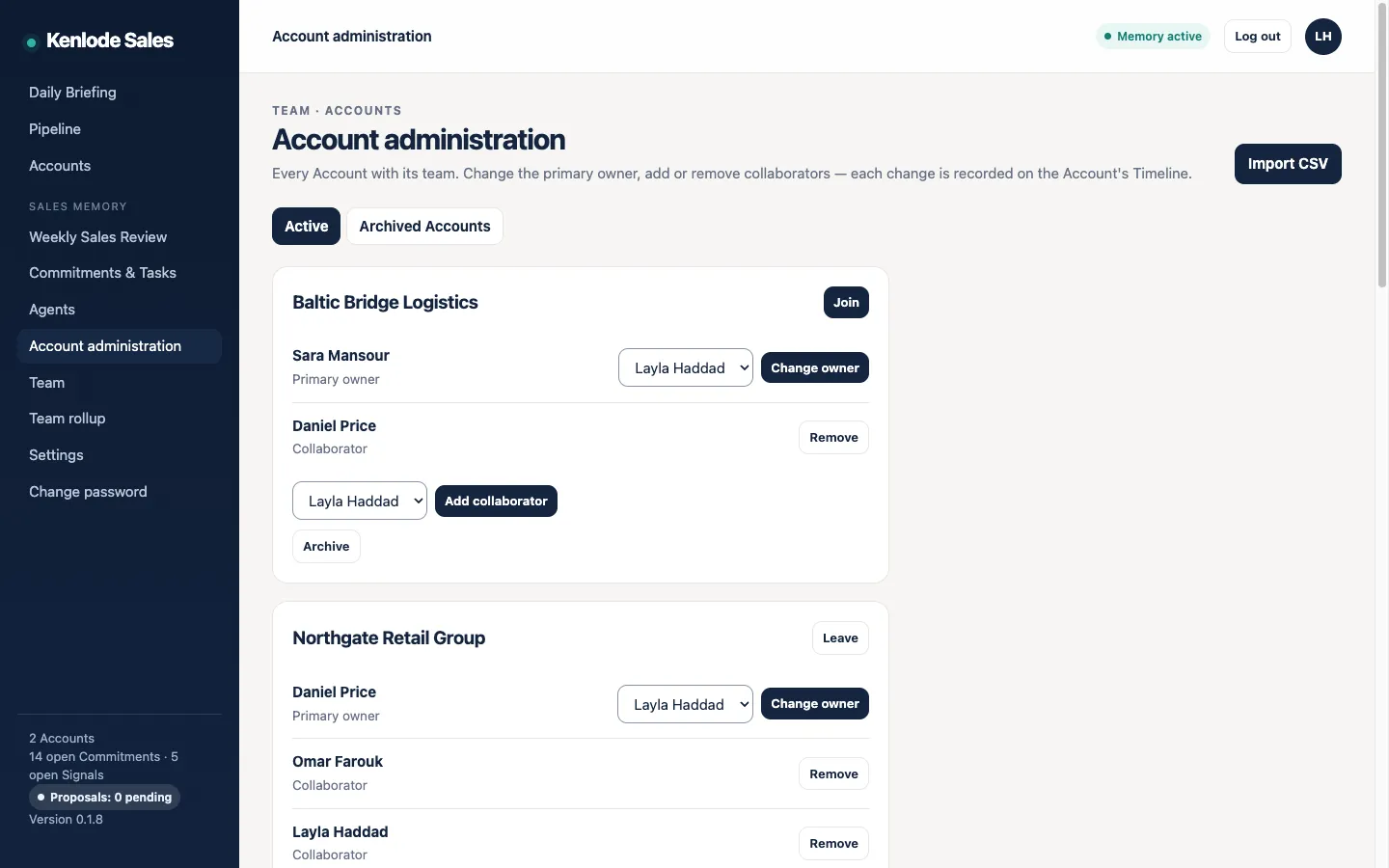
Create Accounts, choose each owner, add collaborators.
Scan
Read the team rollup for risk across every Account.
Join
Step into a deal's Account Team, in the open.
Coach
On the qualification gaps and promises at risk.
The team rollup
Spot risk before the forecast call
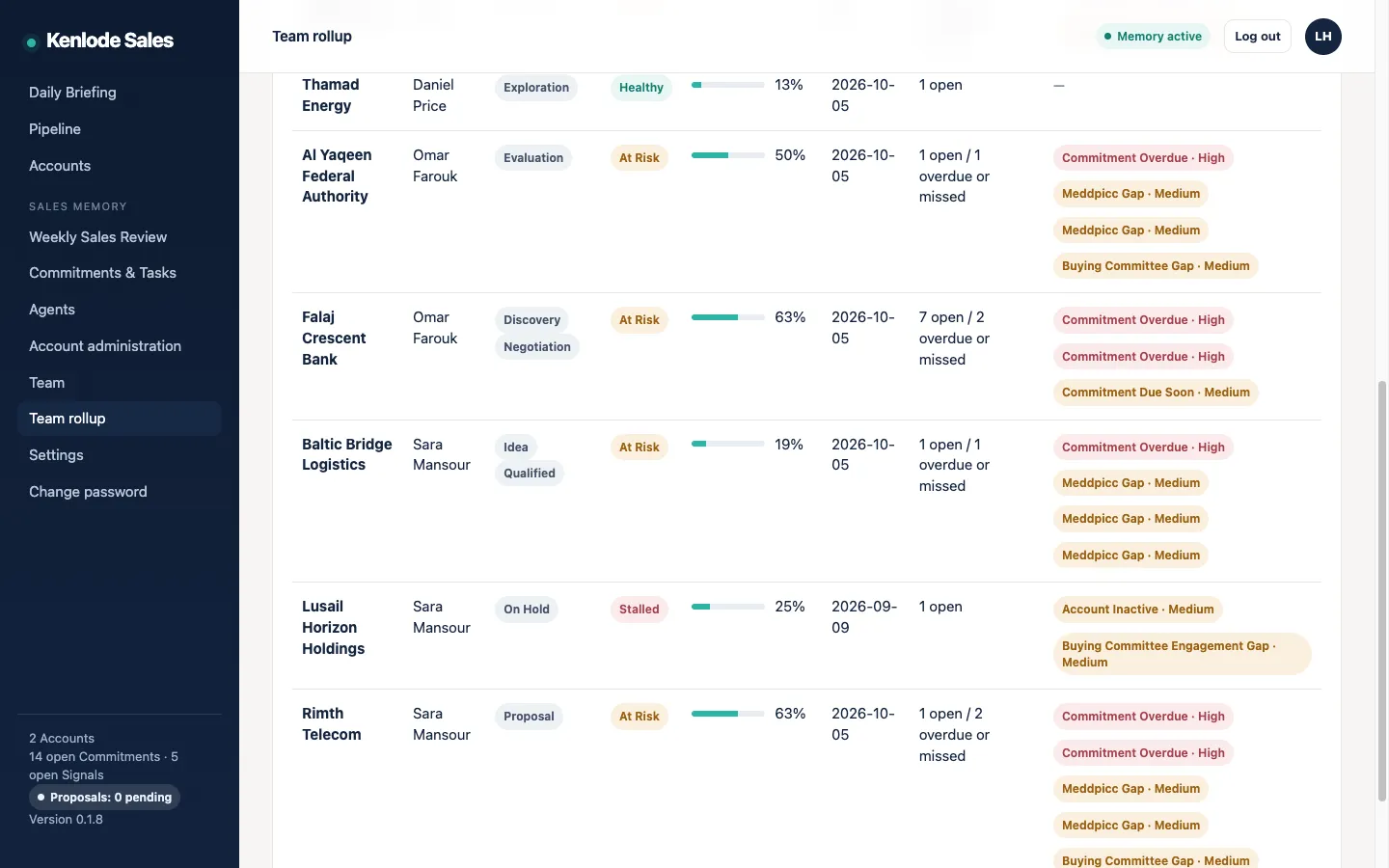
Every Account appears with its stage, health, MEDDPICC completeness, last activity, open and overdue commitments, and active Signals. At-risk, stalled and inactive deals stand out in one view.
The rollup never shows notes, transcripts or insights. It's built from computed signals only, so reps keep writing down what they really think.
Account Teams
Every look at a deal is on the record.
You see every Account's name, team and signals. To read an Account's content, you join its Account Team, and the join shows on the Account's Timeline and team card, where the reps see it.
Reassign an Account and the new owner inherits everything, including private notes and hypotheses. The Timeline still shows who contributed what.
What managers use it for
Spot risk early
At-risk, stalled and inactive Accounts in one view, each with the reason.
Coach on qualification
MEDDPICC completeness per deal and per rep, with evidence or a Hypothesis behind each element.
Reassign without losing history
The new owner inherits the full Timeline when a rep moves on.
Step into a deal openly
Join the Account Team; the team sees it.
Next step
Try it with your team for 30 days
Free for 30 days, up to 10 seats, installed with you on your own server. We agree what success looks like before day one.